
Update 28.1.2625.742 Published June 19, 2026
Periodically, Sparkrock may publish updates between releases. This update replaces previously released updates. All updates are cumulative.
Highlights
To view the major accomplishments in this release, select the links:
New features and changes
Update 28.1.2625.742 for mySparkrock 2026 release wave 1 introduces the following new features and changes.
Configurable employee profile field editing
Fields on the Profile page are now editable or read-only based on the configuration that is set up in Sparkrock Impact.
To read or watch a video about how to set up this feature in Sparkrock Impact, go to Configure employee profile field edit and approval rules for mySparkrock in the Sparkrock Impact release notes.
Postal code and ZIP code validation on the Profile page
On the Profile page, mySparkrock now validates the format of the Postal Code and Zip Code fields when you select Save. Validation is applied based on the employee's country:
Canada: The postal code must follow the Canada Post–approved format, for example, K1A 0B1 or H0H0H0. If the format is not valid, the following error message is displayed: Please enter a valid Postal Code with A1A1A1 or A1A 1A1 format.
United States: The ZIP code must be a 5-digit value or ZIP+4 format, for example, 90210 or 10001-1234. If the format is not valid, the following error message is displayed: Please enter a valid Zip Code.
Validation is applied only when the Postal Code or Zip Code field is editable and the Validate Postal/Zip Codes on Profile Changes setting is turned on in Sparkrock Impact. When validation fails, your changes are not saved until the error is resolved.
To read or watch a video about how to set up this feature in Sparkrock Impact, go to Postal/ZIP code validation for profile changes in the Sparkrock Impact release notes.
Purchase requisition and payment request currency enhancements
This release includes several currency-related improvements to purchase requisition and payment request pages.
Currency code visibility
The following currency code improvements have been made:
A Currency Code column is now displayed on the Purchase Requisitions and Payment Requests list pages.
MSR-1861, MSR-1862 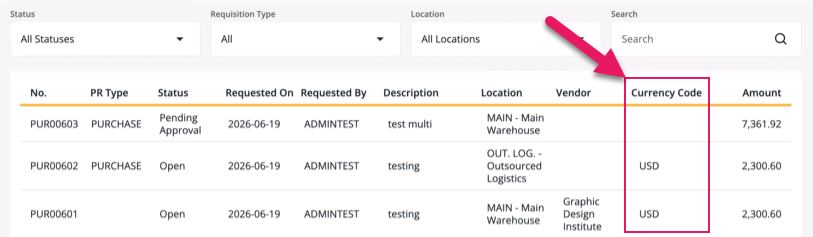
The column displays the currency code for foreign currency documents only, so that foreign currency documents are distinguishable from local currency documents in the list.
The Currency is now displayed in the Details section of the Purchase Requisition and Payment Request pages.
MSR-1863, MSR-1864 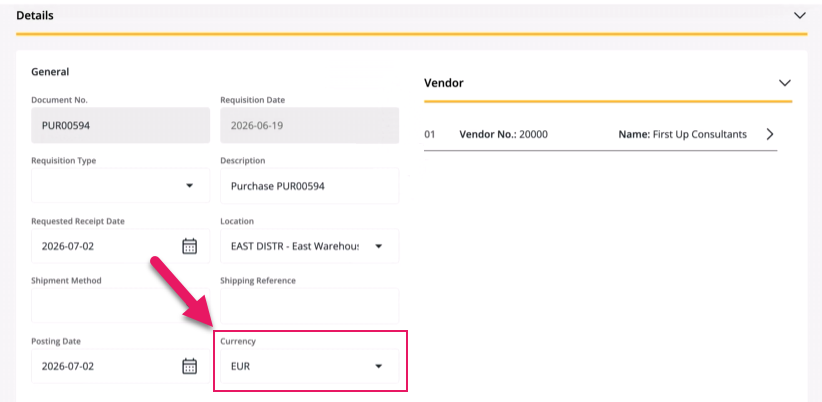
The currency code is now displayed next to the amount in the Purchase Requisition Lines or Payment Request Lines sections of the Purchase Requisition and Payment Request pages.
MSR-1871, MSR-1872 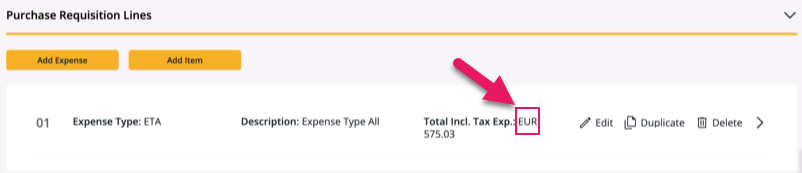
Currency selection
The following currency selection improvements have been made:
The currency picker on the Purchase Requisition and Payment Request detail pages is now filtered to currencies that are marked as available on finance requests in Sparkrock Impact or Sparkrock Finance.
MSR-1865, MSR-1866 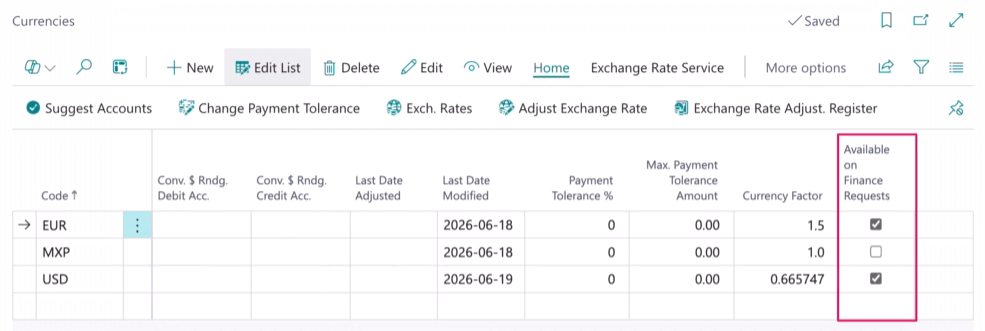
You can now change the currency code on a Purchase Requisition or Payment Request after the document has been created. When you change the currency code on a document that already has lines, a confirmation dialog box appears to warn you that existing lines will be removed.
MSR-1867, MSR-1868 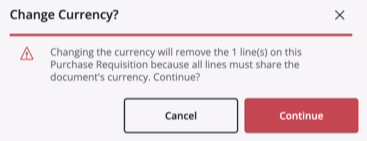
On multi-vendor documents, the currency of the first vendor that is added sets the document currency. All vendors on the document must use the same currency. When you add a subsequent vendor whose currency differs from the document currency, an error message is displayed and the vendor is not added.
MSR-1869, MSR-1870
Foreign currency amounts
The following improvements have been made to how foreign currency (FC) amounts are displayed:
On foreign currency documents, the local currency (LCY) equivalent of each line's extended cost is now displayed next to the FC value.
MSR-1873, MSR-1874 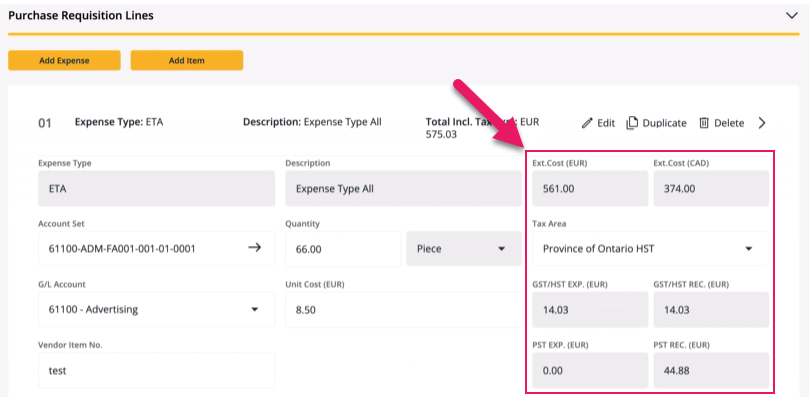
On foreign currency documents, the totals on the Purchase Requisition and Payment Request pages now display both FC and LCY totals, including tax.
MSR-1875, MSR-1876 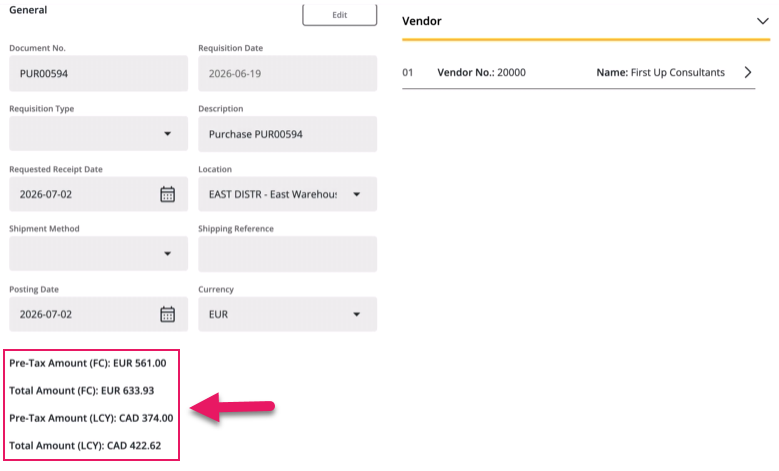
The Budget tab on the Purchase Requisition and Payment Request pages now displays and submits the requested amount in local currency.
MSR-1877, MSR-1878 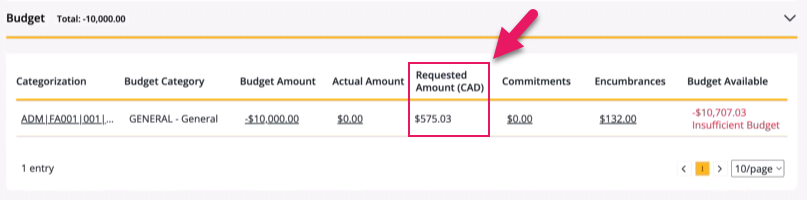
Approval routing for Purchase Requisitions and Payment Requests now uses the LCY equivalent amount when matching against approval thresholds, so that foreign currency documents are routed to the correct approval tier.
MSR-1879, MSR-1880
Related information
Feedback
To send feedback about this page, select the following link: