
Update 28.1.2629.761 Published July 17, 2026
Periodically, Sparkrock may publish updates between releases. This update replaces previously released updates. All updates are cumulative.
Highlights
To view the major accomplishments in this release, select the links:
Payment Type field hidden on a payment request when not configured
Consistent expand and collapse design for expenses and items
New features and changes
Update 28.1.2629.761 for mySparkrock 2026 release wave 1 introduces the following new features and changes.
mySparkrock security enhancements
This release introduces access-control enhancements to mySparkrock APIs, so that your data is even more secure.
Affected areas include:
- Expense claims
- Purchase requisitions
- Payment requests
- Purchase orders
- Purchase invoices
- Finance approvals
- Time entry
- Absence request approvals
- My team
MSR-1202, MSR-1247, MSR-1248, MSR-1251, MSR-1252, MSR-1253, MSR-1254, MSR-1259, MSR-1260, MSR-1261, MSR-1266
Payment Type field hidden on a payment request when not configured
On the Payment Request page, the Payment Type field is now hidden when no payment type values are configured. This change prevents the field from appearing empty or unused.
Consistent expand and collapse design for expenses and items
On the Purchase Requisition and Payment Request pages, the expand and collapse design for expenses and items now matches the vendor section. Previously, to view or hide expense and item information you had to use Expand and Collapse buttons. This design differed from viewing or hiding vendor information where you selected a chevron. To create a consistent user experience, this release introduces the chevron design for expenses and items.
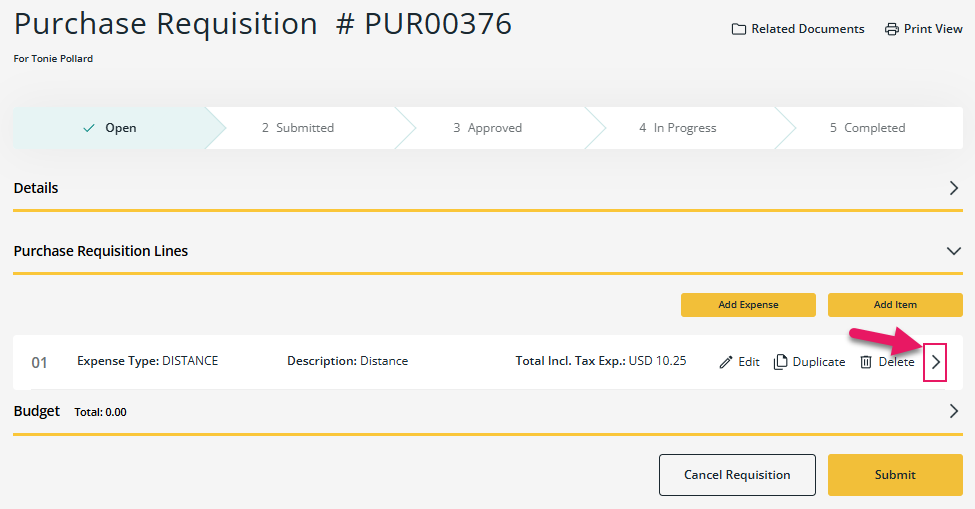
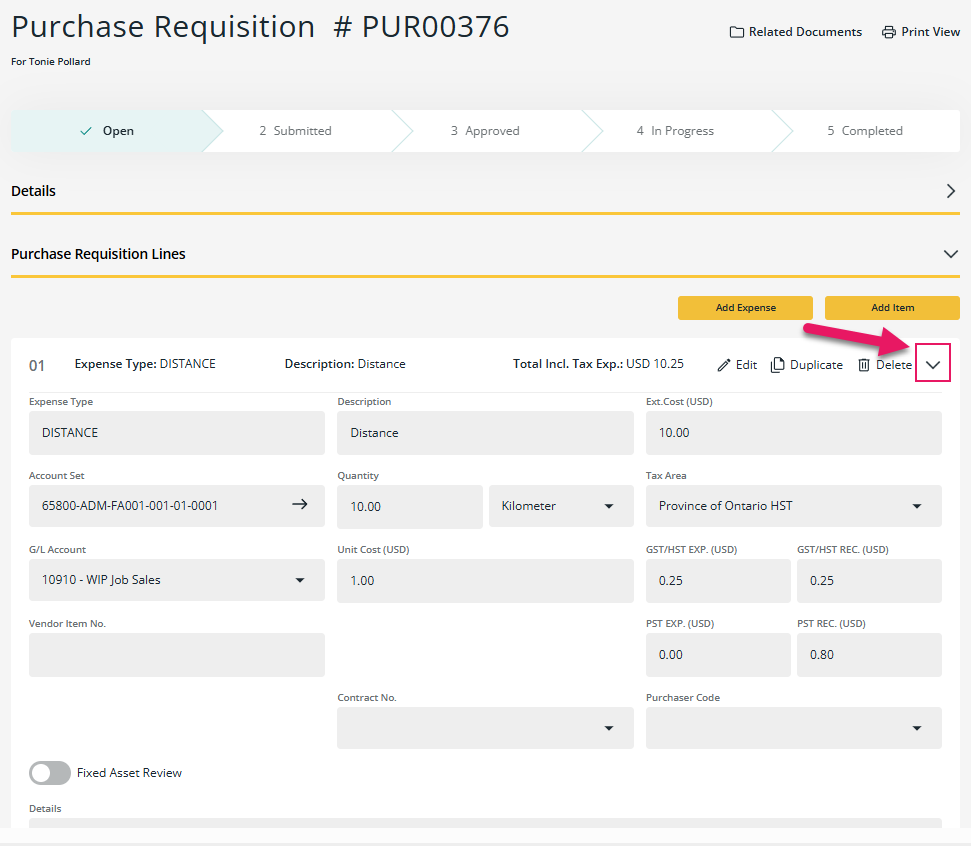
To view or hide detailed information about an expense or item, select the chevron.
Problems that are resolved in this update
The following problems are resolved in this update.
| Description | |
|---|---|
| When you export a financial analysis to Excel from the Financial Analysis page, the exported file does not include an Information tab that displays the filter parameters that were used to generate the report. |
|
On expenses and claims, the following problems exist when required fields are missing or incomplete:
|
|
| When you select Sign Out, mySparkrock does not sign you out or redirect you to the sign-in page. As a result, your session remains active on the browser. |
|
On the Unit Schedule page, the following problems exist with the shift list:
|
Related information
Feedback
To send feedback about this page, select the following link: