
Update 28.1.2633.808 Published August 14, 2026
Periodically, Sparkrock may publish updates between releases. This update replaces previously released updates. All updates are cumulative.
Highlights
To view the major accomplishments in this release, select the links:
New features and changes
Update 28.1.2633.808 for mySparkrock 2026 release wave 1 introduces the following new features and changes.
Purchase requisition and payment request send by email enhancement
When you select Print > Send by Email on a Purchase Requisition or Payment Request page, a dialog box now appears before the email is sent.
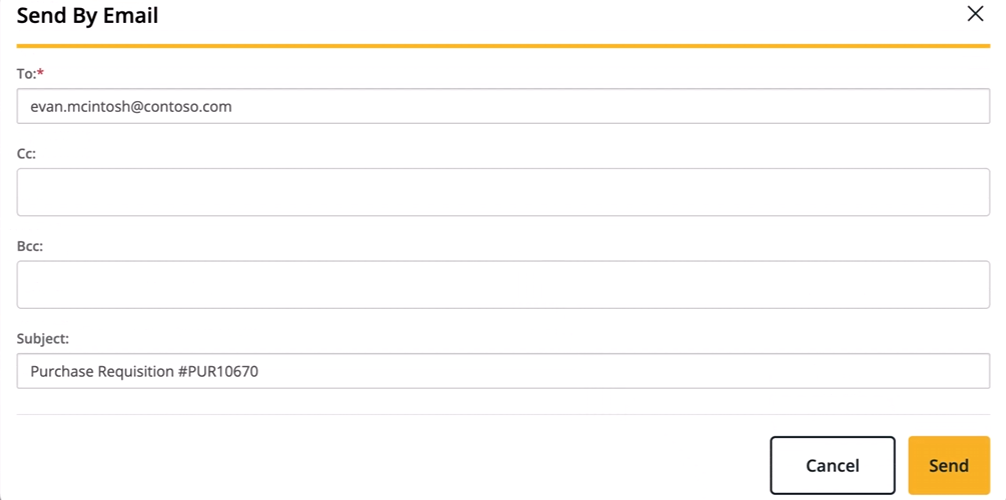
The dialog box includes the following fields:
- To: Required. Defaults to the vendor's email address and is editable.
- Cc: Optional. Supports multiple email addresses.
- Bcc: Optional. Supports multiple email addresses.
- Subject: Defaults to the document type and number, for example, Purchase Requisition #12345 or Payment Request #12345. This field is editable.
When you select Send, the document is sent as an attachment to all specified recipients.
Learn more
- Email a purchase requisition
- Email a payment request
MSR-1617, MSR-1618
Financial analysis account set filter and column visibility
This release introduces enhancements to the Financial Analysis page.
Filter by account set
An Account Set multi-select filter is now available in the More Options section of the Advanced Filter panel.
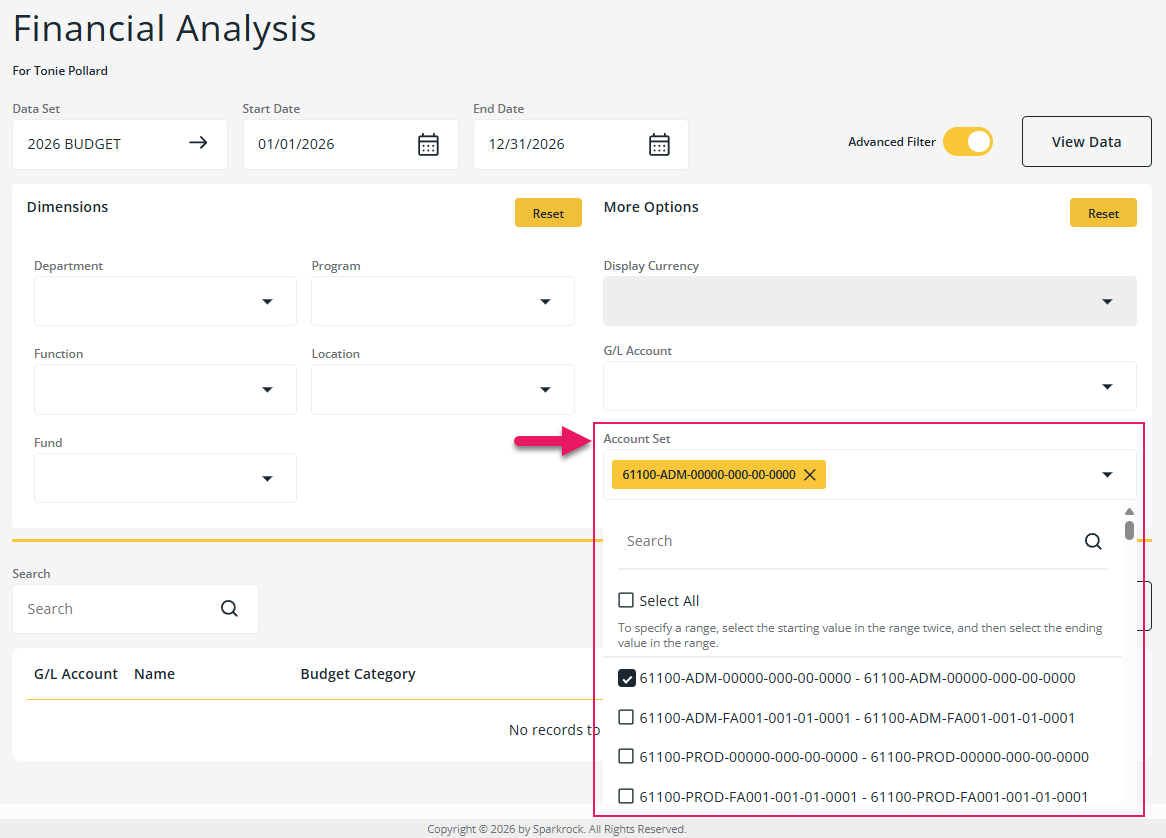
On dataset selection, the Account Set filter is populated with the account sets that are available for that dataset. Select one or more account sets, and then select View Data to view only rows that match the selected account sets. Changing the selected dataset repopulates the account set options and clears any previously selected account sets.
Column customization
The Financial Analysis page now also respects column visibility settings that are configured on a dataset in Sparkrock Finance. To learn more about the Sparkrock Finance setup, go to Create a financial analysis data set.
Columns that are configured as hidden on a dataset are not displayed on the page.
Previously, all columns were displayed regardless of dataset configuration. When no visibility configuration exists for a dataset, all columns are displayed.
In addition, custom captions that are configured for the % Available column on a dataset in Sparkrock Finance now display correctly in the column header.
Learn more
- Perform a financial analysis
MSR-1845, MSR-1846, MSR-1847, MSR-1848, MSR-1849
Problems that are resolved in this update
The following problems are resolved in this update.
| Description | |
|---|---|
| When Prevent Self Approval of Expense Claims is turned on in Sparkrock Finance, expense claims that an alternate user created are visible and can be approved or denied on the Financial Approvals page. |
|
The following problems exist with expense claim templates:
|
|
| On the Financial Analysis page, rows are sorted alphabetically by Name instead of by G/L Account. |
|
| On the Purchase Orders and Receiving page, the Mine filter does not filter the list to show only purchase orders that you created. |
Related information
Feedback
To send feedback about this page, select the following link: