
Update 28.1.2636.875 Published September 4, 2026
Periodically, Sparkrock may publish updates between releases. This update replaces previously released updates. All updates are cumulative.
Highlights
To view the major accomplishments in this release, select the links:
New features and changes
Update 28.1.2636.875 for mySparkrock 2026 release wave 1 introduces the following new features and changes.
Financial analysis drill-down export and print
On financial analysis drill-down pages, this release adds Export and Print buttons.
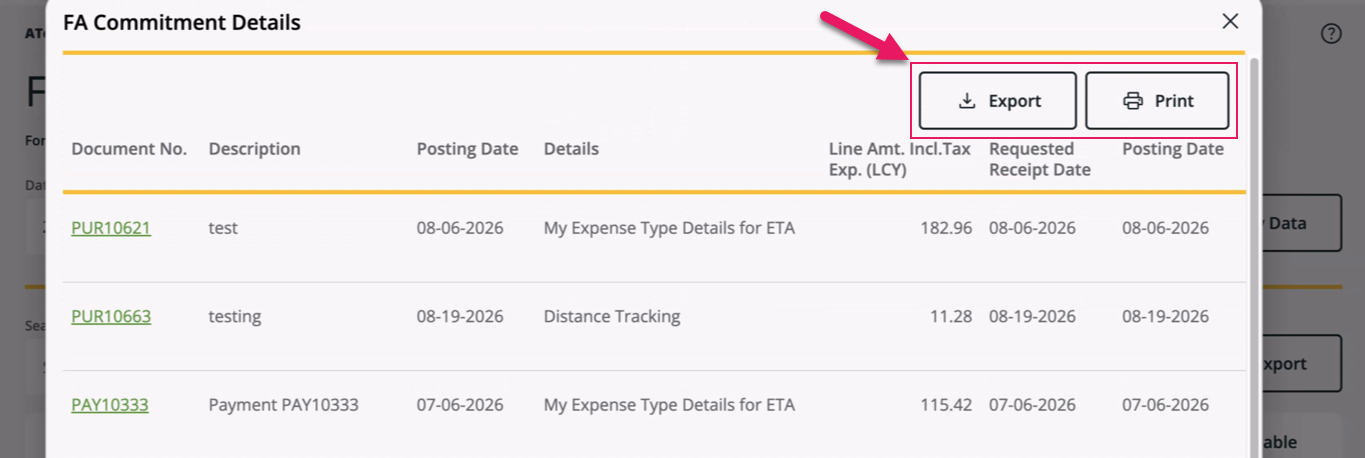
These buttons provide the following capabilities so that you can take drill-down data directly into Excel or print, instead of reviewing the data only on screen:
- Export: Downloads the full set of entries behind the selected amount as a formatted .xlsx file.
- Print: Opens your browser's print dialog showing only the drill-down table.
Both buttons are available for commitment entries, encumbrance entries, GL budget entries, and net change entries, in both desktop and mobile layouts.
Learn more
- Export financial analysis drill-down details
- Print financial analysis drill-down details
MSR-1922, MSR-1923, MSR-1924, MSR-1925, MSR-1926, MSR-1927, MSR-1928
Dual currency display on Buy-From Vendor tab of a purchase order
On the Purchase Order page, when you view a foreign currency purchase order, the Pre-Tax Amount, Tax Amount, and Total Amount fields display the amount in the purchase order's currency, followed by the local currency equivalent in parentheses.
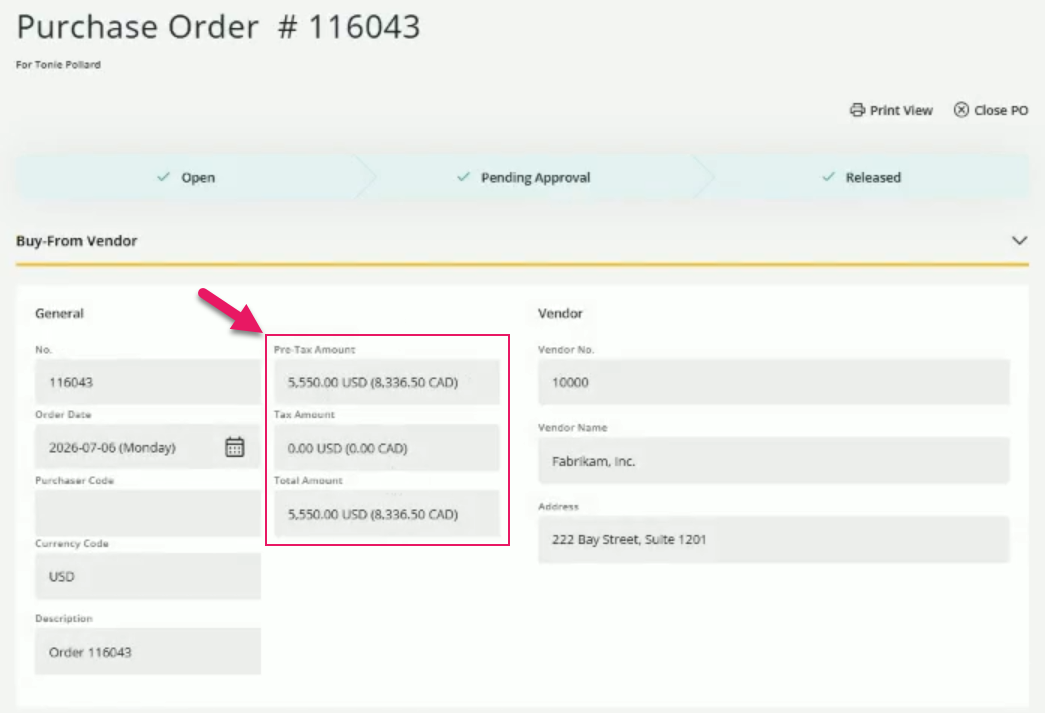
When you view a purchase order in the local currency, the Pre-Tax Amount, Tax Amount, and Total Amount fields display a single amount in the local currency.
Problems that are resolved in this update
The following problems are resolved in this update.
| Description | |
|---|---|
| On the Payment Request and Purchase Requisition pages, when one line has a required field left blank, the Save button for every other line is also disabled. To resolve this problem, each line's Save button now depends only on that line's own required fields. |
|
| On the Purchase Requisition and Payment Request pages, when you select an account set, required dimensions that are not populated in the account set do not display for selection. As a result, you cannot select these dimensions, and the request cannot be verified or sent for approval. To resolve this problem, mySparkrock now displays required dimensions for selection regardless of whether they are populated in the account set. |
|
| On the Payment Request page, after you change the vendor on a request that has expense lines, the lines display as though no information is missing. When you submit the request for approval, mySparkrock displays an error stating that dimensions or the Unit Cost are missing. To resolve this problem, mySparkrock now refreshes the expense lines after you change the vendor. |
|
| On the Expense Details dialog box, when the Categorization section under Advanced Details fails to load dimension data, mySparkrock displays the section as empty with no explanation. To resolve this problem, mySparkrock now displays an error message that explains why the dimension data failed to load. |
|
On the New Receipt page, the following problems exist:
|
|
On the Purchase Requisition and Payment Request pages, the following problems exist:
|
Related information
Feedback
To send feedback about this page, select the following link: